Moving into Movie Making: Our Basic Motion Rig

May 7th, 2013

Hello everyone, Ben here again. Since I have been working here for the past year, I’ve been thrown into the world of commercial photography and filmmaking. While the photography side of this business has been interesting to learn, my personal interest still lies mostly on the motion side of our business. As an editor, I see a lot of footage, a lot of raw footage. It’s usually up to me to decide what is the best shot for a specific point in a specific piece of work. What I want to talk about is how do we get that right shot. While there are a lot of factors that go into getting the shot, one of the earliest decisions we have to make is what is the camera doing? Is it tracking, panning, locked-off, zooming, or any combination of these things? I’ll be writing about our 3 primary camera rig setups and why we use each one. We obviously use more than 3 camera rigs, but these are our most flexible and most used setups. These are our tried and true, go-to rigs.


Monopod DSLR Rig-1

Monopod Rig (click to enlarge)

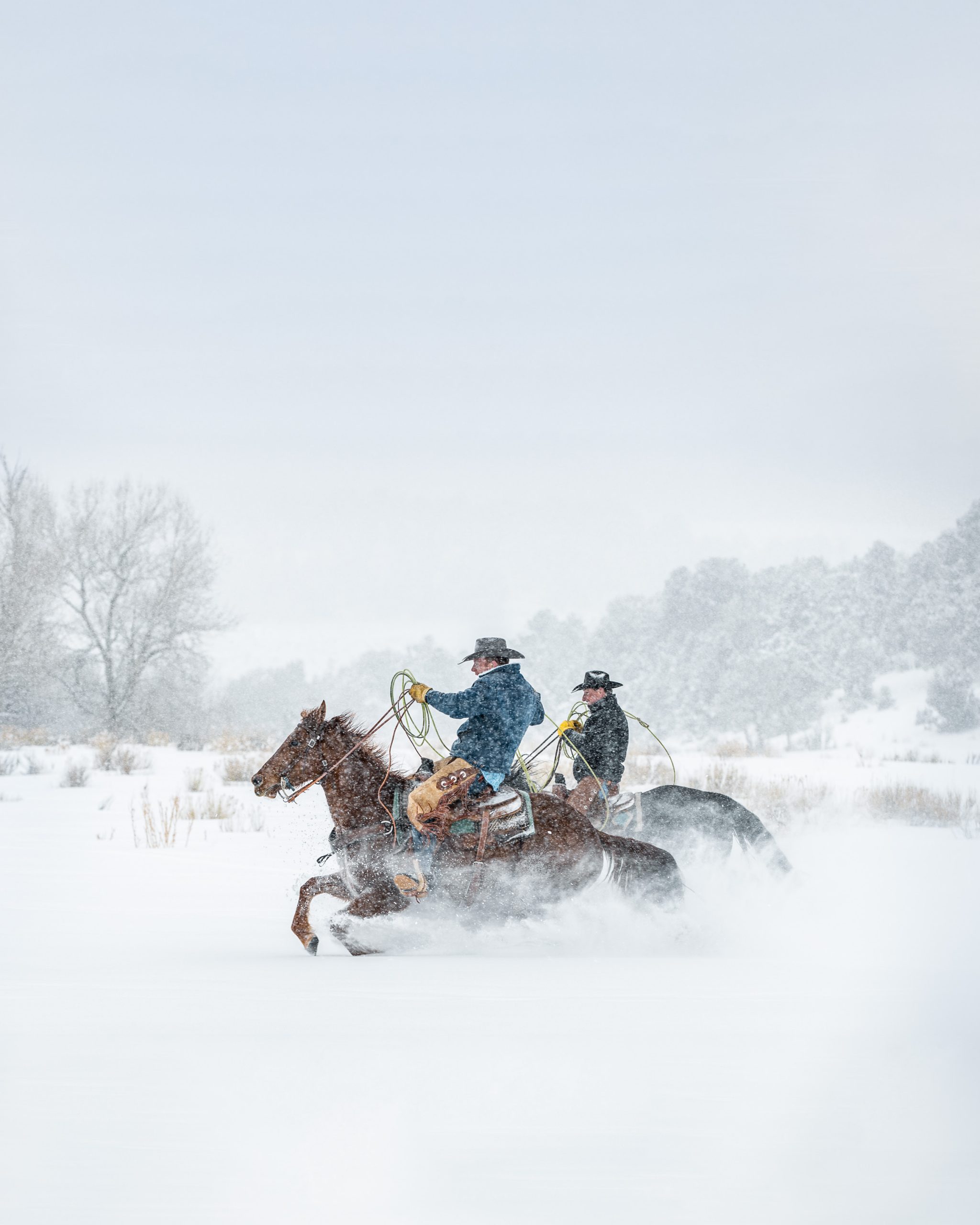
The first rig I want to talk about is our monopod rig. Last summer we shot a three part short film series for Snowmass Tourism. We highlighted three Snowmass locals that helped illustrate and show off the beauty and appeal of Snowmass, CO. Out of these three films, we were especially excited for the opportunity to shoot with Jeff Groom, a Snowmass native who has been ranching in the Roaring Fork Valley all his life. This was our chance to create our version of the iconic American Cowboy. As we dove into pre-production for this short film, we went over how we wanted the piece to feel. Jeff manages Snowmass Creek Outfitters and one of their specialties is taking visitors on horse pack trips. We loved the direct connection to the land that Jeff and his business had and we knew that we wanted the section of the film highlighting Jeff’s connection to the area to feel grounded and steady. We decided to avoid shoulder mounts or hand-held cameras to avoid any shakiness. Shoulder mounts would still give too much float to the camera, letting focus drift too much and would give off a feeling of unease, the opposite of what Jeff feels when he is at home in the mountains. We didn’t want to use any cranes or sliders for camera movement as it would be too active. We wanted the viewer to feel rooted in their position watching Jeff in his element.


We settled on our favorite light and fast setup of a Manfrotto 561BHDV Monopod mounted with a Canon 5D Mark III. On the 5DIII we have a Zacuto Z-Finder Pro 2.5x mounted on the rear LCD and a Sennheiser MKE 400 shotgun microphone mounted on the hot shoe of the camera.

Tyler working with our monopod rig for "The Cowboy"

Tyler working with our monopod rig for “The Cowboy”

This has been our mainstay light and fast system. The monopod allows us to work in a number of different ways. We can be steady with it, almost like being lock off on a tripod; we can float around a bit similar to a shoulder rig; and we can pan and tilt when action is pulled away from our set location. For the rodeo scenes of “The Cowboy,” we were running around the rodeo grounds with this same rig. The telescoping function allowed us to get high up to be eye level with the horses or up at the perspective of the riders, but also work low down on the ground for low angle hero shots of Jeff on his horse. The stationary position of the monopod gives the viewer the same grounded feel that Jeff has living in Snowmass but with its pan and tilt ability, the viewer can also feel immersed in the location while still maintaining that grounded place in the scene.


We have had luck using this system for behind the scenes as well. For our behind the scenes series of our short film Shattered for  Canon’s Digital Learning center, we used this monopod setup as well. We even shot parts of Shattered itself with this system (when Tyler wasn’t hanging off the ice of course).

Tyler and Draper shooting Steve House for "Shattered"

Tyler and Draper shooting Steve House for “Shattered”

Kate shooting Behind the Scenes for "Shattered" at Bridal Veil Falls, Telluride, CO

Kate shooting Behind the Scenes for “Shattered” near Bridal Veil Falls, Telluride, CO


We go back to this system time and time again. It gives us a great professional look and, more importantly, with the right application, it gives the scene we are shooting the right look as well. Next up, our go-to shoulder mount system.

Canon L Series Lens vs. Cine Series Lens Test

April 12th, 2013

After testing Canon’s 1D-C, we wanted to look deeper into Canon’s Cinema options. We were lucky enough to get the Canon CN-E 50mm T1.3 L F Cine Lens loaned out to us to do some comparison tests. We put the Cine lens directly up against it’s L Series cousin to see if it was worth the extra cash.


Right off the bat, the size of the Cine Lenses jumped out at us. These are not run and gun, quick change, single camera bag sized lenses. With the 114mm diameter opening, none of our screw on filters would work with these lenses. That meant for filters, we’d need a matte box. The next thing we noticed was the large, geared rings for both focus and aperture. This allows for follow focus wheels to lock in to the focus and aperture rings for smooth racks. The aperture ring communicates with the 1D-C to electronically keep track of the shift, but it remains a fully manual system, the camera body itself has no control on changing the t/stop. The focus ring runs a lot smoother than our L Series lenses and the Cine Lens focus ring has stopping points for both minimal and infinite focus. The L Series lenses spin on forever, even after you pass the minimum focus point and infinite focus point; the Cine Lenses are much easier to work with for focus pulls with a follow focus ring. But enough of how the lens looks on the outside! What kind of image was made from the inside?


The major difference between the L Series Lens and the Cine Lens is the bokeh, the blur of the lens. The L Series 50mm lens has sharper lines in its bokeh, while the Cine lens is far more spherical, nearly a perfect circle in the center of the lens. This is particularly apparent when the foreground subject is in focus, and the background lights remain as tighter bokeh. In the freeze frame, you can see the cleaner bokeh of the Cine lens. This look is what has typically separated cinema and higher quality lenses from stills and lower cost lenses. Other than that however, we didn’t see much difference in the image quality. Both 50mm lenses had the same slight distortion on the edges of the frame. The bokeh circles on the edges become slightly squished, but it looks like they distort in the same way on both the L Series and the Cine Lens.


Looking at the side by side footage, you can see the extra time it takes to pull focus from minimum to infinity on the Cine Lens compared to the L Series. While the Cine Lens has stops for minimum and infinite points, the focus ring has a much longer rack than its L Series cousin. To do a long rack, a motorized focus wheel is needed to maintain smooth and quick pulls. However, having a larger focus ring to work within can help make smaller racks, such as a profile conversation between two characters in a car, easier to pull between.


The Cine Lenses look great. Depending on the job, there might be a need for the nicer Cine Lenses with the 11 Blade Iris vs the 8 Blade Iris of the L Series Lenses (hence the nicer Bokeh). Whether or not the nicer blur is worth losing the ability to work quickly or use variable ND filters is tough to say particularly along with having to add a matte box and rails and the extra cost to rent the lens. But for commercial cinematography, the nicer glass may be necessary; it all depends on the job.

Canon 1D-C: Tested to the Limit- Pulling Stills from Motion Content

April 12th, 2013

Alright, Ben here again with some help from our retoucher Draper White talking about pulling stills from 4K video on the Canon 1D-C.


Pulling stills from video is becoming more and more popular and we have started seeing requests from clients to do so. With video resolution catching up with the frame sizes of most cameras smaller than medium format, this is finally an option with 4K Cameras like the Red Epic and Scarlet, Arri Alexa, or, in our case, the Canon 1D-C.


We have had some great success in pulling stills from video but it can be tricky. In most cases when we are pulling stills from a movie file  the intention was to capture motion and not stills. Because of that, the camera is most likely set to a low shutter speed.  This usually means that the majority of our frames have some motion blur so we must go through a clip frame by frame to find the shot with the least amount of motion blur. Canon doesn’t have a dedicated program for extracting stills from video files so we were left with looking at the programs that are already in our workflow to pull the best still. The Motion Jpeg CODEC means that the image quality would already be compressed to a jpeg for the still. To maintain image quality, we used either Adobe Photoshop or Premiere Pro to extract a TIFF image file from the video by either using the export frame option in Premiere or Save As in Photoshop and selecting TIFF* as the file type in each. Each program has it’s pros and cons: Premiere is easier to scrub through and find the right frame going frame by frame but has more setup to deal with when trying to import footage. Photoshop is easy to get a clip into (you just select the clip from Finder and open it in Photoshop) but it more difficult to go frame by frame and find the best, clearest moment. Moving forward, we’ll choose the program based on the project we are working on. If the project is mainly motion based and we are already working in Premiere, we’ll extract from in there since the footage will already imported in there. If we are only shooting motion with the intention of extracting stills, we’ll just open the singular clip in Photoshop.


*We used a TIFF file because it maintains the most information from the CODEC when exporting from Premiere. In Premiere, exporting a jpeg compresses the image even more than the motion Jpeg CODEC. In Photoshop, a TIFF is preferred as it will retain more information, but we were pretty successful with saving a high quality jpeg to save some space.


Once we extract the TIFF file, we’ll import the image into Lightroom to do the basic photo editing. Lightroom works far better for the grading than the tools in Premiere and is designed to edit and export high quality stills. Here is an example of our basic develop settings working with our TIFF file:
Shooting in Canon Log produces and extremely flat file. Rarely if ever will we have a pure black in a Canon log file so the first thing we do is set the black point by decreasing the Blacks Slider.  One thing to note is when shooting in Canon Log its important to give yourself room in the shadows.  The log files will often give you the impression that you are not clipping your blacks, however once you begin to grade your files you will notice you have to bring up the black point quite a bit. Then all of a sudden you have very little detail in the shadows to work with.  This often means using an exposure that feels a little bright. So after we set blacks up in Lightroom we will begin to adjust the highlights by bringing up the exposure and/or using the tone curve sliders. This gives us a good place to start playing with the overall feel of the image. After we’re done making our adjustments, we export out of Lightroom and we’re set!


Lightroom Settings for Motion to Still Capture

Lightroom Settings for Motion to Still Capture

Overall the 1D-C produces great files, we found there was a little banding in some of the out of focus mid tone gradients when you begin to process the images but adding a little noise in Lightroom can help remove that.  The files have a lot of latitude especially when shooting in Canon Log and when exposed well there is very little noise even at higher ISOs. Here is our final image:
076K7284.MOV.Premiere-1

Canon 1D-C: Tested to the Limit-Slow Motion Tests

April 12th, 2013

When Canon announced the 1D-C, one of the new features we were most excited to have on a DSLR rig was 60fps video at full, 1920×1080 HD. Using the 60fps at 1280×720 mode was a decent stop gap, but it was just that. It could work in a pinch or if you could sacrifice some image quality and sharpness, but it was still lacking. Once we had the 1D-C to test, we wanted to see how Canon’s first go at Full HD slow motion would be in a DSLR. Back at The Roaring Forge we had our blacksmith Tom send sparks flying for this test:


After reviewing this footage, we definitely agreed that the slowed down footage was softer than the real time footage at 24p. For our sake, we didn’t see a significant quality difference between 60p and 50p and the use of one or the other would be dependent on speed of slow down or NTSC vs PAL use. While these tests weren’t perfect (our frame shifted a bit and working quickly, we elected to shift aperture to compensate for shutter speed instead of changing ISO or adding additional lighting) they illustrated enough to see how usable the higher frame rate would be.

In addition to the footage being a bit softer, the 1D-C does not have a special record mode like the C300 to shoot 60fps down to 24fps (23.976) in camera. This means that the footage must be interpreted in Adobe Premiere Pro and set to 23.976 fps (see pictures below)


or the footage must be conformed and transcoded in a program like Apple’s Cinema Tools. Either way, getting to slow motion with the 1D-C requires an extra step in Post Production, just like it did with the DSLR cameras that came before it. However, at least now the footage is already sized at 1920×1080.


While it isn’t a perfect slow motion option, it is a definite upgrade to using 1280×720 footage blown up to fit into a 1920×1080 project. In particular, for videos that are going to be compressed for the web as is, the difference between the real time footage and interpreted slow motion footage will be difficult to spot coming out of the 1D-C. This camera was never designed to be a high frame rate camera, but considering Canon has software to so special record modes like Slow or Fast Motion (like on the C300) it would have been nice to include that option in a DSLR, or at least the highest end Cinema DSLR. However, since this wasn’t a make or break reason to buy the 1D-C, we’ll look at what slow motion options the 1D-C does have as a nice bonus.


Canon 1D-C: Tested to the Limit-Real World High ISO Noise Tests

April 12th, 2013

Ben Thomas here, Video Editor and Assistant at Tyler Stableford Photography + Film. In the next few posts, I am going to be talking to you about the tests we did with our new Canon 1D-C Camera. Ah yes, the Canon 1D-C. Considered to be the the first Cinema DSLR camera. With the ability to shoot 1D-X caliber stills and shoot video using Canon’s Canon Log picture style, this camera seemed like a perfect mix of the light and fast setup we love from the 5D Mark III and the cinema look and flexibility of the C300. And with 4K resolution and 60 fps at Full HD on top of all that? We were ready to be sold and hoped it wasn’t too good to be true. While we waited for our pre-order to be filled, we did plenty of research online, watching both Shane Hurlbut’s extensive tests using color and grey cards (check those out on his Vimeo page here) and looking through Phillip Bloom’s tests (seen here) and we felt like we were getting a solid handle on what to expect from the 1D-C.


Once we finally received the camera, we wanted to do a couple of tests for ourselves. In particular, we wanted to test out the camera’s high ISO noise sensitivity in a scene that we would typically find ourselves shooting. The High ISO noise tests on Shane’s blog were helpful but we wanted to see how the camera worked in a real world environment. We had shot over at The Roaring Forge before, a blacksmith’s collective here in our hometown of Carbondale and we decided that it would make for our perfect real world test site.


We set up with Tom working near the forge and had him do what he does best while we tested the 1D-C. Starting at ISO 400, the camera’s native ISO setting, we lit Tom so we could work at T/1.6, with a shutter speed of 1/50th of a second. We fixed our white balance at 4700K and understood that we would have some variations in color temperature as the changing ambient dusk light came through the windows. We went up a stop at a time from ISO 400 to ISO 800 to ISO 1600 all the way up to the camera’s HI-2 setting (ISO 204,800). We kept the exposure equal using Tiffen’s 4X5 Pro HV Neutral Density filter set and matching our histograms as we shifted the ISO. Below is the test:


We were thrilled to see that even with just two clip-on reflector lights and some hardware store tungsten bulbs, we were able to light Tom easily. Additionally, working with ISOs up to 3200 was no problem with noise. We would have no issue showing dailies to clients of footage shot at ISOs as high as 3200 or even 6400 without adding any additional noise reduction. Beyond ISO 6400 gets a bit too noisy, but in a pinch, and with some noise reduction, even an ISO as high as 51,200 could be acceptable.


While we liked the flexibility that Canon Log gave us in color grading, we were curious how it compared to our old Neutral Picture Style (-7 Sharpness, 0 Contrast, 0 Saturation, 0 Color Tone). We repeated the test to compare the two. In the video below, we used our native camera setting of ISO 400 and our high mark of ISO 3200 as our benchmarks both ungraded and graded:


We found that the Canon Log is, as expected, a much flatter image and gave us more flexibility to work with the grade in color correction. However, while the latitude of the scene was diminished with the Neutral picture profile, if we needed to remove extra color correction from our workflow, the Neutral picture profile would still do us well at ISO 3200.


Overall, we were impressed with the low light performance of the Canon 1D-C. Considering less than 2 years ago we were nervous going higher than ISO 1600 on the 5D Mark II or the 7D, the option of boosting up to ISO 3200 without hesitation is a huge improvement. Combining this with the improved resolution options and Canon Log settings, this camera will definitely take us up to the Cinema level in low light situations while still allowing our kits to stay light and fast.


“Shattered”: An Award Winning Integrated Campaign.

April 9th, 2013

Shattered_Cover_Festival_Laurels_2013_03_18

Our film, Shattered premiered last year at NAB and since then has received awards at festivals all over the world, including the Prix Du Jury at Chamonix Adventure Festival and most recently won Silver for ”Best Cinematography” at the The Art Directors Club 92nd Annual Awards. Shattered has also been accepted to Aspen Shortsfest, one of North America’s premiere short film showcases. The film screens at the Shortsfest April 11th but you can view it here.


Canon 1DX film with Steve House.

Understanding that brands gain equity not only from sponsoring a successful short film, we created unique behind the scenes web content for Canon’s Digital Learning Center. A three part series, these behind the scenes films offer more than just tutorials on the 1DX cameras but also show the labor of love that is filmmaking and invites the viewer into the process. We not only took the cameras to their limits- hanging from an ice wall in below freezing temperatures, we also took storytelling to its limits- editing the film to be as sparse as the equipment the climber Steve House used throughout his alpine career.


Tyler_Steve


To provide added value to Canon, Tyler captured images of climber Steve House using the wireless Speedlite 600 EX-RT along with the EOS 1D X to showcase the camera’s new high speed sync features. Teaming up with Dentsu, these photos were then turned into print ads which ran in various photography magazines and helped strengthen Canon’s marketing efforts surrounding the EOS 1DX. The print ad led people to a Canon microsite where all of the pieces lived. As a team we created content for every touchpoint resulting in an integrated, award- winning campaign. http://www.usa.canon.com/cusa/professional/standard_display/1DX_main#tutorial/1/


Screen Shot 2013-03-12 at 11.26.31 AM

Get up close and personal with Luke Bryan on the Cabela’s It’s In Your Nature Campaign

April 8th, 2013


Luke_Bryan-9014 So, what was it like to work with country superstar Luke Bryan on our Cabela’s It’s In Your Nature campaign shoot? Well, in a word it was whirlwind.

Luke_Tyler

Tyler getting too close to Luke Bryan?

With only one day- about 8 hours total including wardrobe, styling, time for interviewing- with Luke we knew we needed to be quick between set-ups which meant being light on gear.

Unlike the rest of the Cabela’s IIYN Brand Anthem which was shot on the Red Epic with a bigger crew, our needs for this shoot led us to choose the Canon C300, 5D Mark III and 1DX cameras. We worked mostly on handheld shoulder rigs and with monopods to be as mobile as possible.


Without having a chance to scout we arrived at a ranch in Nashville with the hopes of making a :30 sec television commercial introducing Luke Bryan as a new spokesperson for Cabela’s. We were also tasked with capturing a behind the scenes interview of Luke sharing his love for the outdoors. A challenge? Yes. Impossible? No. Ideal conditions? Not really.

LukeBryanShoot

Shooting details of Luke Bryan practicing with his bow.

Luke_Bryan-9444In order to maximize our time we divided and conquered. Tyler and Draper would use the C300 and 1DX to capture video for the :30s spot and stills for Cabela’s print and online ads. Ben and I would set up the 5D3′s to capture interview footage, video b-roll and behind the scenes content. Upon arriving on the scene we had Draper our resident “Macro Man” running around capturing details of nature in the morning dew while Tyler met with Bill Davaris and Andrew Ladden from Ogilvy, Brandon Beck from Cabela’s to discuss the scenes we would be shooting that day. Ben and I scouted for a location we could set up our interview. Using both a Sennheiser lavalier microphone and a boom we set up a two camera interview. This is a common practice for us. Even if you are alone interviewing someone you can set up one camera on a tripod locked off and then use the other camera to get tighter on details and facial expressions.  We were all set with our gear, reviewing interview questions when Luke showed up- all smiles and grateful not to be on the road for a more relaxing work day by his standards.

See the interview with Luke here. 

Luke_Bryan-5040

Andrew Ladden reviewing interview questions with Luke Bryan.


After the interview, we got Luke geared up for some bowhunting scenes. Shooting in harsh mid day light and backlight presented us with a few challenges. But with the C300 we were able to shoot in lighted shade i.e. the shot of Luke in a tree stand with the sun behind him and get more details in the highlights and shadows than say shooting with the 5DIII because of the wider range of latitude and the Canon log feature. We all know that mid day isn’t the best time to shoot, but we mixed up the shots with tight details to avoid having wide landscapes with harsh lighting. After a few scenes we were nearing the end of our day with Luke but still hadn’t finished. We needed to capture a few still shots of Luke for Cabela’s to use. Rushing over to an open field we gathered the crew and gear into a few pick up trucks and found a place where we could look into the setting sun.

Tyler and I squatted all over the field to find a good frame. Draper got the lights set- up in record time and we were ready to shoot Luke in his camo with his bow. At this point we had softer natural light and accented it with a Hensel strobe to add a pop to Luke’s portrait.  _G8P6596_eye

With only 15 minutes left of Luke’s time we transitions to a truck-bed scene with Luke wearing the new Cabela’s It’s In My Nature T- shirt. Seeking a traditional country music portrait we set up Luke with his guitar in the back of his own pickup. * Note photographing a portait with an object like a guitar is tricky. You want to see enough of the guitar to tell a story but including the whole guitar can make for some awkward compositions. As the minutes were ticking we struggled with finding the right composition. We finally had to forego getting all of the elements- truck, guitar and Luke- in one image and went with this shot of Luke and his guitar!

_G8P6843


As we packed up the truck and started driving away the Nashville sky shone as a bright orange- red sun sunk in the sky. It was truly one of the most magical sunsets and we’d just wrapped! Riding in the back of the pickup watching a beautiful sunset that was also a missed opportunity- we were faced with what we all know. You don’t always have control of your shoots. We were lucky with this shoot that even though we didn’t have a lot of time, we had a great crew and a great guy to shoot with.

Congratulations to Luke Bryan who won Entertainer of the Year from 2013 ACM – Academy of Country Music Awards last night! See the full Cabela’s commercial here!


The Crew

Brandon Beck, Bill Davaris, Luke Bryan and Andrew Ladden.

NAB Show Schedule

April 4th, 2013

If you are going to be in Las Vegas next week for the NAB trade show then stop by the Canon and Tiffen stages where I’ll be showing my latest work and tests of new products.


At the Canon stage: # C3628

4k DSLR Filmmaking: Pushing The EOS-1D C To The Limits

2 p.m. Monday and Tuesday April 8th and 9th

As a Canon Explorer of Light, Tyler presents his latest film projects and behind-the-scenes workflows with the stunning new 4K DSLR camera the EOS-1D C, as well as commercials directed with the C300 and 5D Mark III.

ForgeTest033

Winter_Park_Kate-3755

Free and open to the public


At the Tiffen stage: # C8818

Steadicams And Filters For A Cutting-Edge Look

4:15 p.m. Monday April 8th

11:15 a.m. Tuesday April 9th

In this 45-minute talk, Tyler takes the audience behind the scenes of his latest commercial production: directing the Cabela’s brand anthem and TV commercials in 12 locations across the country. Tyler and his team used Tiffen Steadicams and filters to create a signature look in challenging outdoor conditions.

Screen Shot 2013-04-04 at 9.20.59 AM

Winter_Park_Kate-8143

Featured in CNN Travel for Adventure Photography Portfolio

March 25th, 2013

Screen Shot 2013-03-25 at 1.20.57 PM

Nice write up in CNN highlighting some of my photographs. Check it out! 

Cabela’s Brand Anthem: Our Campaign of the Year Won AdWeek’s Ad of the Day

March 21st, 2013

When Brandon Beck of Cabela’s came to our team with a concept for a brand anthem, we knew we needed to be a part of it. In what has been one of the best collaborations of my career, we created an anthem and a series of commercials celebrating the joy of being an outdoorsman.

The spirit of this piece really called to me. As director, I had the honor of working with the talented directors of photography Anson Fogel and Kent Harvey.

Screen Shot 2013-03-20 at 4.44.34 PM

See the brand anthem here.

The response to the piece has been overwhelming. Cabela’s has garnered such a strong following of people who are really passionate about the brand and about the spirit of the outdoors.  To top it off the ad world has crowned our spot AdWeek’s Ad of the Day.

Screen Shot 2013-03-20 at 3.47.36 PM

To everyone involved, my deepest and heartfelt thanks for co-creating this project.

Tyler

Canon Destination Workshops: Enrollment Now Open!

March 20th, 2013

So happy to announce that you can now register for two destination workshops through Canon Live Learning- Acadia National Park and Aspen Maroon Bells. These two places are so exciting for me on many levels- not only are they locations that are near and dear to my heart, but I’ve also seen such great photographs come out of those who attend these workshops.

With the rocky coastlines of Maine as a backdrop we will shoot in Acadia National Park and then the town of Bar Harbor to capture portraits of local lobstermen August 1st-2nd.

Bar Harbor, Maine

Then in the fall just as the foliage is at it’s peak I’ll be teaching at Aspen’s Maroon Bells-one of the most scenic landscapes in the country-followed by portrait sessions with real working cowboys at a nearby ranch October 2nd-3rd.

Couple hiking during the autumn in the Maroon Bells wilderness near Aspen, Colorado.

Both workshops focus on lighting, portraiture and landscape photography so whatever your skill level you will find new ways to hone your photography skills. These workshops have sold out in previous years so don’t miss your opportunity, spaces are already filling up! Click here to register for the Aspen Workshop or here to register for Acadia.


Behind The Scenes of our Cabela’s Brand Anthem Shoot

February 25th, 2013

Here’s a great blog & video on the making of our Cabela’s Brand Anthem: fstoppers.com/tyler-stableford-beautifully-captures-the-american-outdoors-for-cabelas

Thanks to Mike Wilkinson at FStoppers for the writeup, and to Kate Rolston for directing the behind-the-scenes film!

Cabela's Brand Anthem behind the scenes.

Cabela’s Brand Anthem behind the scenes.

Connecting to your subjects

February 21st, 2013

Kate here at Tyler Stableford Photography + Film. Writing to you about how unique the past few months have been. Far and away the coolest part of my job is getting to make connections with people I may otherwise never meet. As a photographer or filmmaker creating connections with your subject can make or break your shoot. A lot of the time in this industry we work with models but for this past Cabela’s project we got to work with real people as our models and guides.

Growing up in the suburbs of an east coast town, I was not brought up in a world of hunting and fishing for sport nor for food. I’ve never hunted a day in my life and you won’t find meat on my plate, so how then could I connect with people who hunt, fish and guide for a living? That’s the exciting part!

Getting the opportunity to talk with people about the thing they are most passionate about is a great way to learn more about them and yourself- it’s also usually makes for the most compelling content.

So how do you break the ice? First of all tell them why you want to photograph or interview them- what the footage will be used for or what your interest is. People are sometimes hesitant to talk about themselves, but may be more keen on talking about a hobby they do or cause they are passionate about. Once the camera is rolling I usually ask for their name and where they are from. This is good because it not only gives you a chance to triple check your audio levels, make sure your frame rate is set, it also gets your subject comfortable talking on camera and if you are shooting interviews of multiple people you’ve never met before it will help you remember their name.


Come prepared. If you can know about your subject before you interview them, come up with a list of questions. If you are shooting on the fly and don’t know a thing about your subject not to fret! Now is a great time to get to know them.

Stay on track. This goes for you not your subject. You are the guide. Allow them to be tangential, some of the best stories are anecdotes but some feel like Russian novels. Stay interested and do not interrupt if you think of a follow up question save it for when they are through. Keep the point of your piece in the back of your head then find a connection between that and the story they are sharing.

Be your audience. So what if you and your subject don’t have a thing in common- though I find the more people I talk to the more similar we all are than different- but even if it feels like you can’t find the connection between their story and your life remember who this story is meant for. Who is your audience? Define that for yourself. Then think about what they would most like to hear about. Chances are they are the stories that come from the heart. Stories that are told with enthusiasm and conviction.

For a recent Cabela’s campaign project I was asking outdoorsmen of all ages the question, “What’s in Your Nature?” It can be a pretty simple or pretty philosophical question to answer. Sometimes the responses we’re pure gold, some were total misses, but with each person I got to spend an hour or more talking to them about their life, their passions, their heritage, hearing the stories that belong to them and getting to share those with all of you. That’s what connecting to your subjects is all about.

To see some of these interviews click below:

Luke Bryan

Mary Katherine

Dave Beronio

Jenn Weiden 

Harve Hoff

All of these videos were directed by Kate Rolston and edited by Ben Thomas. Special thanks to Cabela’s particularly Brandon Beck for his vision and his passion for this project!


Join me at Adorama in NYC Feb. 12th for an Action Portrait Workshop

January 3rd, 2013

Being a commercial adventure photographer much of my work is taking compelling environmental portraits and action shots. Whether shooting an athlete, coal miner or a model the best results I’ve found are from creating dynamic lighting. Because I shoot on location time and resources can be tight. It’s not really feasible to have a full studio lighting set up on the side of a mountain. So for me, a lot of times that means adding to natural sunlight with strobes.

If you are looking to add an extra punch to your portraits but are intimidated by using strobes or if you are a professional looking to add more powerful lighting to your shots then join me at Adorama on Weds. Feb. 13th from 5:30- 8 p.m.

To sign up or for more details click here. 

Join me at the Denver Art Museum Wednesday Nov. 14th!

November 5th, 2012

I am giving a talk in conjunction with Mike’s Camera on November 14th from 6:30- 8:30 p.m. at Denver Art Museum. I’m really excited to be giving this talk here in Denver because I will be featuring a range of Colorado assignments. I feel so lucky that I am able to shoot national level commercial work while living in Western Colorado- the landscape and the lifestyle here is a constant inspiration to my work.

If you are interested in learning more about the exciting world of outdoor adventure photography as well as gaining insights into creating films with the  HD-DSLR cameras or if you are just looking for something different to do on a Wednesday evening then register now at Mike’s Camera’s website.

Hope to see you there!